Built-in Themes
Built-in themes are pre-designed themes that provide a quick and easy way to customize the look and feel of Mainsail without creating a design from scratch.
Mainsail includes themes from two groups:
- Open-Source Communities: Themes from large open-source 3D printing projects
- Vendor Sponsors: Exclusive themes as recognition for their support
Want a Built-in Theme?
If you are a maintainer of a large open-source 3D printing project, contact the Mainsail crew on Discord to request a built-in theme.
Change Theme
To change the theme in Mainsail:
- Open the Interface Settings by clicking the cogs icon in the top-right corner
- Navigate to UI-Settings
- Select a theme from the dropdown
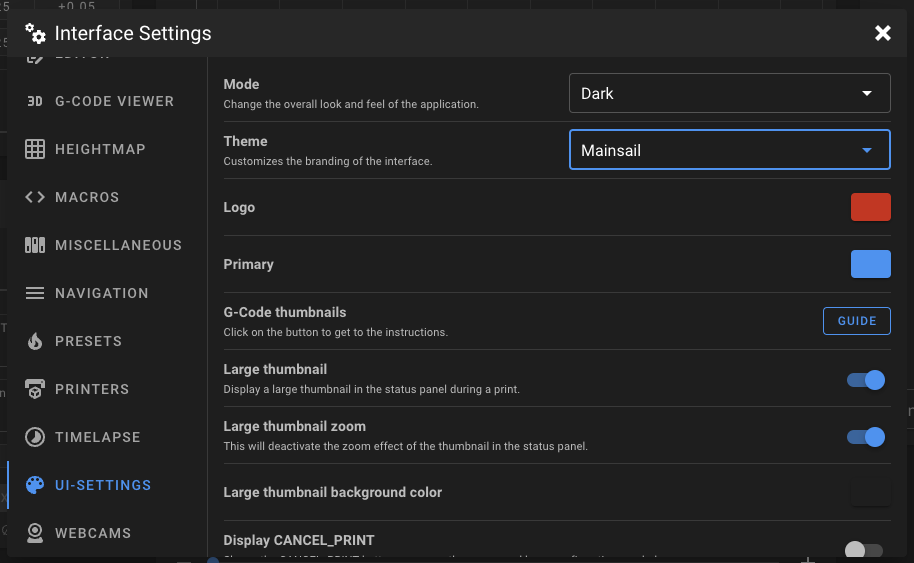
Available Themes
The following themes are currently available in Mainsail:
| Theme | Type |
|---|---|
| Mainsail | Default |
| Klipper | Open-Source |
| Voron Design | Open-Source |
| VzBot | Open-Source |
| BigTreeTech | Sponsor |
| LDO Motion | Sponsor |
| Multec GmbH | Sponsor |
| Prusa Research | Sponsor |
| YUMI | Sponsor |
Theme Options
Built-in themes can customize the following elements:
- Sidebar Logo: Custom logo (colorizable in UI-Settings)
- Primary Color: Accent color throughout the interface
- Sidebar Background: Background color or image for the sidebar
- Main Background: Background color or image for the main area
- Custom CSS: Additional styling
Note
Most themes only change the sidebar logo, favicon, and primary color.