Backgrounds
Add background images to give Mainsail a custom look. There are two background areas that can be customized: the sidebar and the main content area.
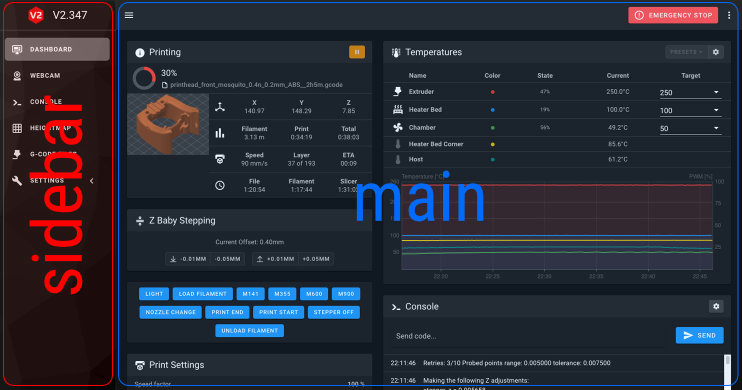
Upload your background images to the .theme folder using the file manager on the
Machine page.
Sidebar Background
To add a sidebar background, place an image named sidebar-background in your .theme folder.
| Property | Value |
|---|---|
| Filename | sidebar-background |
| Valid extensions | .jpg, .png, .gif, .svg |
| Recommended size | 300 x 1000 px |
Main Background
To add a main area background, place an image named main-background in your .theme folder.
| Property | Value |
|---|---|
| Filename | main-background |
| Valid extensions | .jpg, .png, .gif, .svg |
Repeating Patterns
The background image is stretched to cover the entire area by default. If you want a repeating pattern, you will need to use Custom CSS to style it correctly.