Hide Macros, Outputs, or Fans
Mainsail displays all configured G-Code macros, fans, and outputs in the interface by default.
You can hide specific items by prefixing their name with an underscore (_), or by adjusting
visibility in the Interface Settings.
Underscore Prefix
Any configuration section with a name starting with an underscore (_) is automatically hidden
from the Mainsail interface. This works for G-Code macros, fans, and output pins.
Macros
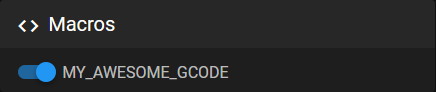
MY_AWESOME_GCODE appears in the interface, while _MY_HELPER_CODE is hidden.
Fans and Outputs
The same method works for fans and output pins:
Both _chamber_fan and _status_led are hidden from the interface.
Interface Settings
You can also control the visibility of macros through the Macros Settings. This allows you to show or hide macros without renaming them in your configuration.
rename_existing Macros
Macros that use the rename_existing attribute are automatically hidden in Mainsail. These
macros override default Klipper G-codes, which are already accessible through built-in
interface buttons.
For example, the PAUSE macro in mainsail.cfg:
[gcode_macro PAUSE]
description: Pause the actual running print
rename_existing: PAUSE_BASE
gcode:
    PAUSE_BASE
    _TOOLHEAD_PARK_PAUSE_CANCEL
Since PAUSE overrides the built-in Klipper command, Mainsail hides it from the macro list.
The pause functionality remains available through the interface's pause button.