Presets Settings
Open the Interface Settings by clicking the cogs icon in the top-right corner, then navigate to Presets.
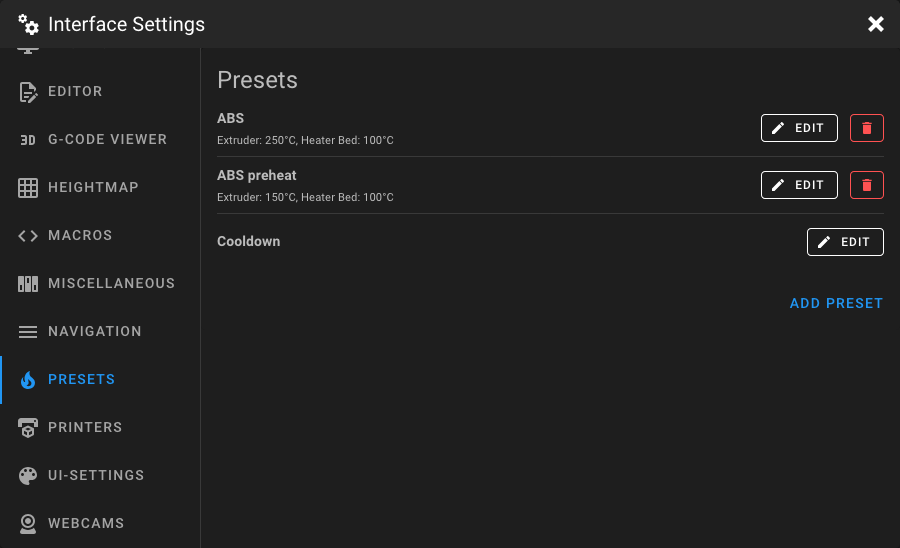
Preheat Presets
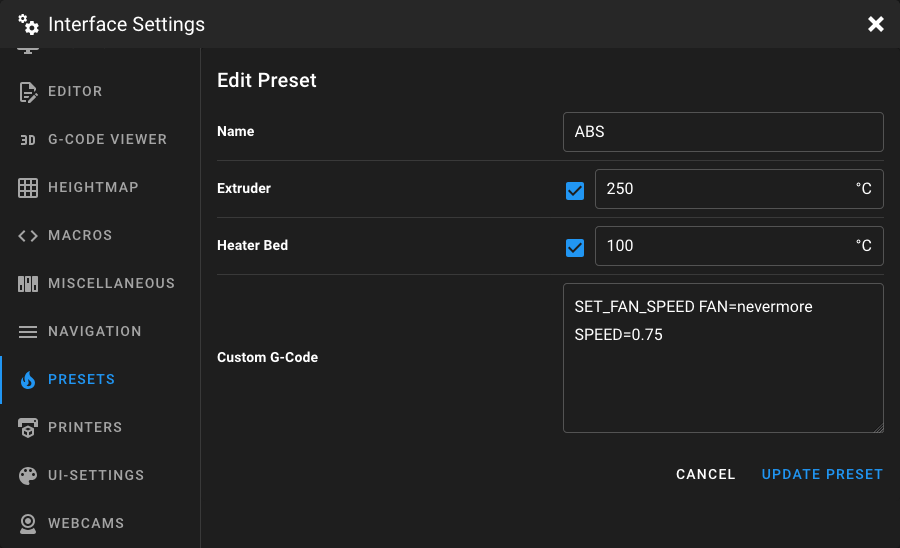
Preheat presets let you quickly set target temperatures for your heaters and optionally execute custom G-Code. Click Add Preset to create a new preset, or click Edit on an existing one to modify it.
Note
Each preset requires at least one enabled temperature or a custom G-Code command.
Name
Enter a unique name for the preset, usually the filament type (PLA, PETG, ABS), color, or any other descriptive text.
Temperatures
Set the desired target temperature for each available heater. The list is dynamically built from your Klipper configuration and may include:
- Extruder: Target temperature for the hotend
- Heater Bed: Target temperature for the heated bed
- Heater Generic: Any additional heaters (e.g. chamber heater)
- Temperature Fan: Temperature-controlled fans
Each heater has a checkbox to enable or disable it for this preset. Disabled heaters are not changed when the preset is applied.
Custom G-Code
Optionally, add custom G-Code that is executed after the temperatures are set. This is useful for:
- Setting Z-offset for different print surfaces
- Enabling or disabling fans
- Running preparation macros
Deleting a Preset
Click the delete button next to a preset in the list to remove it.
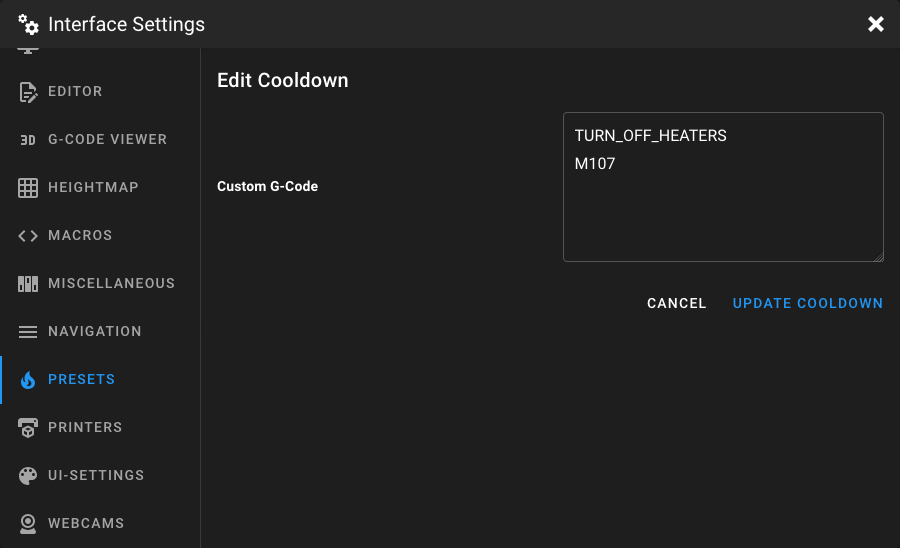
Cooldown
The Cooldown entry is always present at the bottom of the preset list. When triggered, it sets all heater targets to
0°C. Click Edit to add custom G-Code that is executed alongside the cooldown. For example, M107 to turn off the
part cooling fan.
Examples
Filament Preheat Preset
A typical PLA preheat preset:
| Setting | Value |
|---|---|
| Name | PLA |
| Extruder | 200°C |
| Heater Bed | 60°C |
| G-Code | (empty) |
Z-Offset Preset
Use custom G-Code to switch between different Z-offsets for various print surfaces without changing any temperatures:
| Setting | Value |
|---|---|
| Name | Textured PEI |
| Extruder | (disabled) |
| Heater Bed | (disabled) |
| G-Code | SET_GCODE_OFFSET Z=0.2 |
Replace 0.2 with the Z-offset value you require for your print surface.