Query Devices
Mainsail can list connected CAN, Serial, USB, and Video devices to help you find the correct hardware paths for your configuration. This is useful when setting up your printer or webcam.
To access the device list, open any config file in the editor and click the Devices button in the toolbar.
CAN Devices
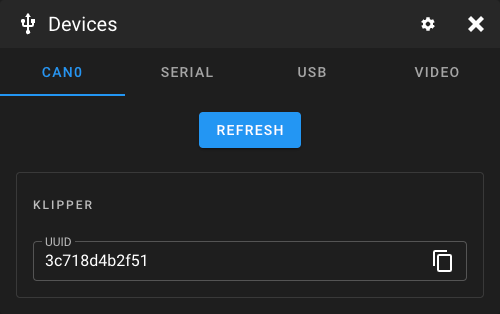
This tab displays unassigned CAN nodes on your network. Each entry shows the application type (Klipper or Katapult) and the UUID.
Unassigned Nodes
An "unassigned" node is a CAN device that has not been activated by Katapult or Klipper. Once Klipper or Katapult connects to a node, it receives a Node ID and will no longer respond to queries. A device reset is required to make it queryable again.
Multiple Unassigned Nodes
When multiple unassigned nodes are on the network, queries can cause arbitration errors. It is recommended to only query when a single unassigned node is on the network. If you need to query multiple nodes, reset all nodes before running Klipper.
For more details, see the Moonraker CAN documentation.
Serial Devices
This tab shows serial connections to your printer mainboard. Use these paths in your
printer.cfg for the [mcu] section:
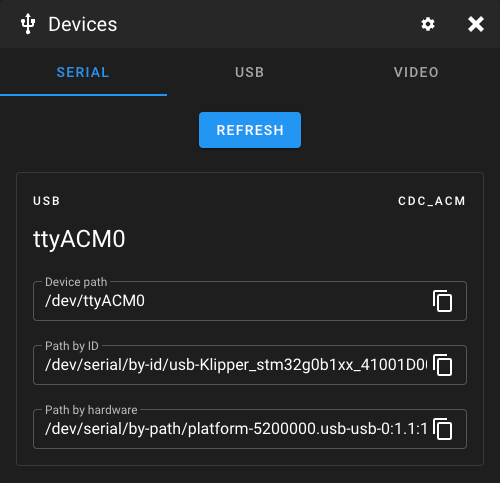
Mainsail can display up to three paths for the same serial device:
- Device path (for example,
/dev/ttyACM0): Assigned when Linux detects the device. The name can change after a restart or when devices are connected in a different order. - Path by ID (for example,
/dev/serial/by-id/usb-Klipper_...): Identifies the device by the ID it reports. It remains the same if you connect the device to another USB port. - Path by hardware (for example,
/dev/serial/by-path/platform-...): Identifies the physical USB connection. It remains the same while you use the same port and USB topology, but points to a different device if you replace what is connected there.
Recommended Path
Use Path by ID for a USB-connected MCU whenever it is available. Use Path by hardware when a device does not provide a unique ID or when you intentionally want the configuration tied to a specific USB port. Avoid the Device path for USB devices because it is not persistent.
Hardware UARTs may only provide a Device path, such as /dev/ttyS0 or /dev/ttyAMA0. In that case, use the
available path.
For technical details about these fields, see the Moonraker serial device documentation.
USB Devices
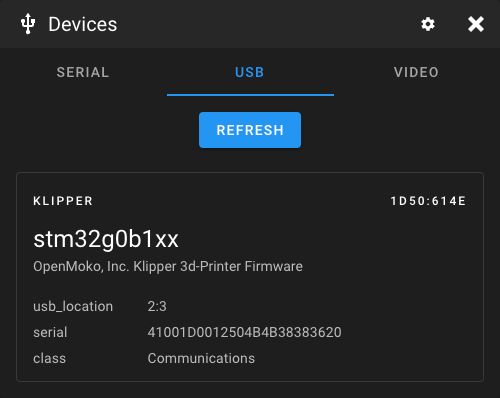
This tab is intended for debugging. It shows whether the system recognizes connected USB devices, which can help troubleshoot connection issues.
Video Devices
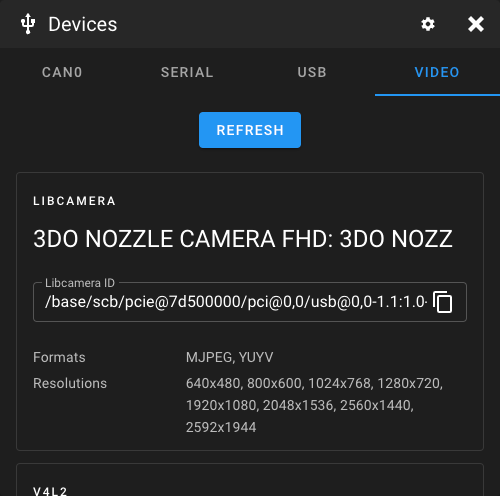
This tab lists all libcamera and V4L2 webcams connected to your system. It also displays available resolutions and video formats for each device, which is useful when configuring webcams in Crowsnest or Mainsail.