Spool Management
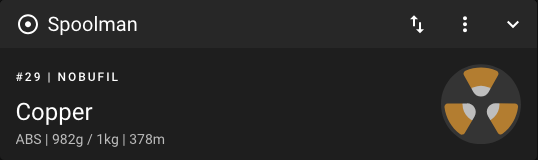
Mainsail has full support for Spoolman, a filament management system that keeps track of your spools, vendors, and filament types. Once Spoolman is connected to Moonraker, it automatically subtracts the used filament during each print and Mainsail shows the active spool.
Features
- Active Spool: See the currently selected spool with material, remaining weight, and length
- Spool Selection: Switch the active spool directly from the dashboard panel
- Automatic Tracking: Moonraker reports the used filament back to Spoolman
at the interval defined by
sync_rate - Filament Data: Vendor, material, and color are shown in Mainsail
Setup Spoolman
Spoolman needs to be installed and configured in Moonraker. See the Spoolman documentation. It can be installed via a Docker container or directly on a Raspberry Pi or some other Homelab server. You only have to install Spoolman once, also when you have multiple printers.
Add Spoolman to Moonraker
To add Spoolman to Moonraker, you need to add the following lines to your
moonraker.conf file:
[spoolman]
server: http://192.168.0.123:7912
#   URL to the Spoolman instance. This parameter must be provided.
sync_rate: 5
#   The interval, in seconds, between sync requests with the
#   Spoolman server.  The default is 5.
To learn more about the configuration options, see the Moonraker documentation.
After Moonraker is connected to Spoolman, the Spoolman panel is available in Mainsail. You can show, hide, or reorder it in the Interface Settings.
Change the Active Spool
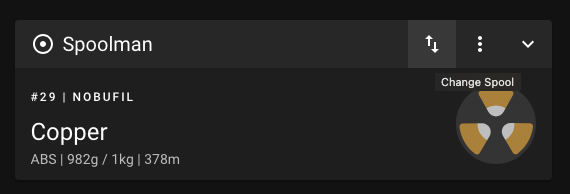
To change the active spool, click the Change Spool button in the Spoolman panel toolbar (the third button from right).
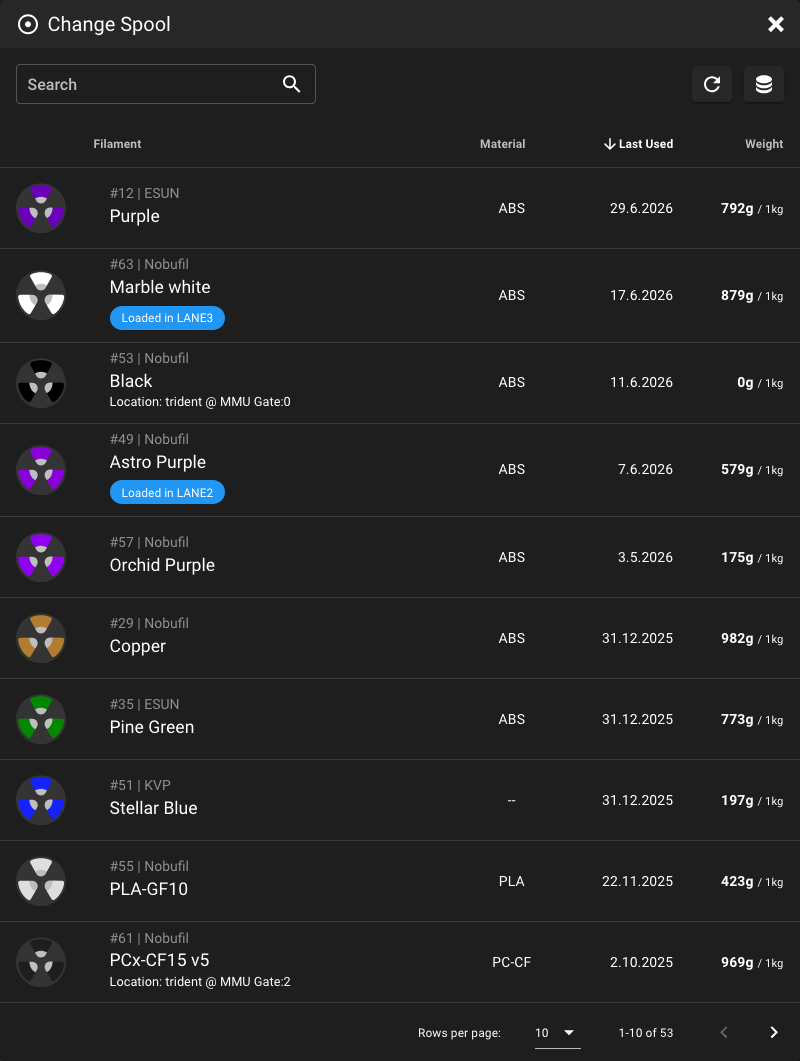
A dialog will open with a list of all spools in the Spoolman database. You can use the search field to filter the list. Click on a row to select a spool.
Toolchanger support
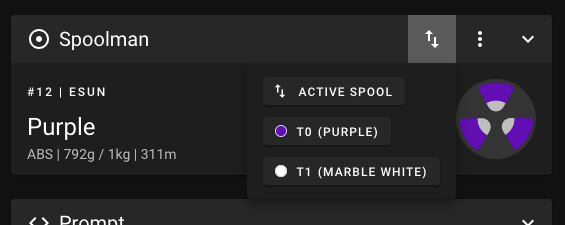
For toolchange macros (T0, T1, Tspool_id variable to your gcode_macro with a default value of None, and
call SET_ACTIVE_SPOOL in your toolchange macro:
[gcode_macro T0]
variable_spool_id: None
gcode:
  ...
  SET_ACTIVE_SPOOL ID={ printer['gcode_macro T0'].spool_id }
  ...
Remembering spools across restarts
If Mainsail detects a [save_variables] section in your configuration:
It will automatically save the selected spool on each change. Use this macro to restore the selection after a restart:
[delayed_gcode RESTORE_SELECTED_SPOOLS]
initial_duration: 0.1
gcode:
  {% set svv = printer.save_variables.variables %}
  {% for object in printer %}
    {% if object.startswith('gcode_macro ') and printer[object].spool_id is defined %}
      {% set macro = object.replace('gcode_macro ', '') %}
      {% set var = (macro + '__SPOOL_ID')|lower %}
      {% if svv[var] is defined %}
        SET_GCODE_VARIABLE MACRO={macro} VARIABLE=spool_id VALUE={svv[var]}
      {% endif %}
    {% endif %}
  {% endfor %}